
Seeing what you owe
Where the amount due is, and what each line on an invoice means.
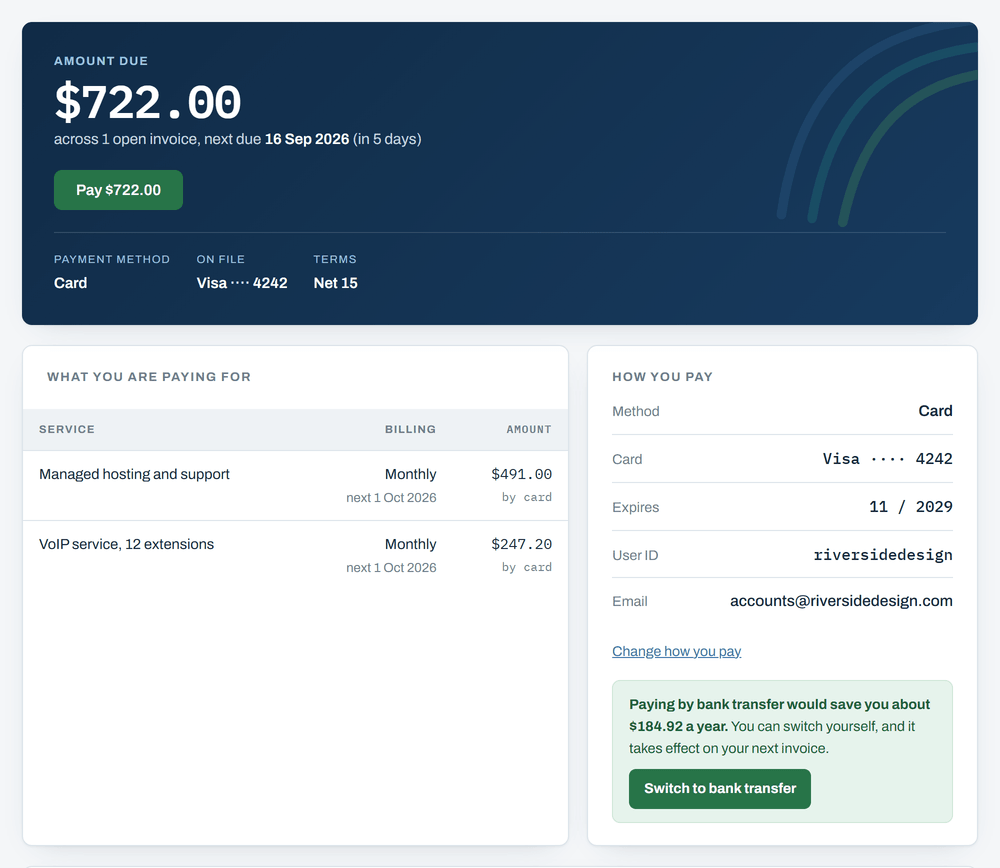
The Account page is the first thing you see when you sign in. The big number at the top is what you owe right now, across every unpaid invoice. Under it is the date the next one is due.
If you owe nothing that panel turns green and shows $0.00. It then tells you when your next invoice is expected and roughly what it will come to.
The list of invoices
Click Invoices along the top for every invoice on your account, newest first. Each row gives you the invoice number, when it was issued, when it is due, the amount, and where it stands.
- Open means it has been sent and not paid yet.
- Paid means it is settled and there is nothing to do.
- Partial means some of it has been paid and some has not.
- Overdue means the due date has gone by.
Opening one invoice
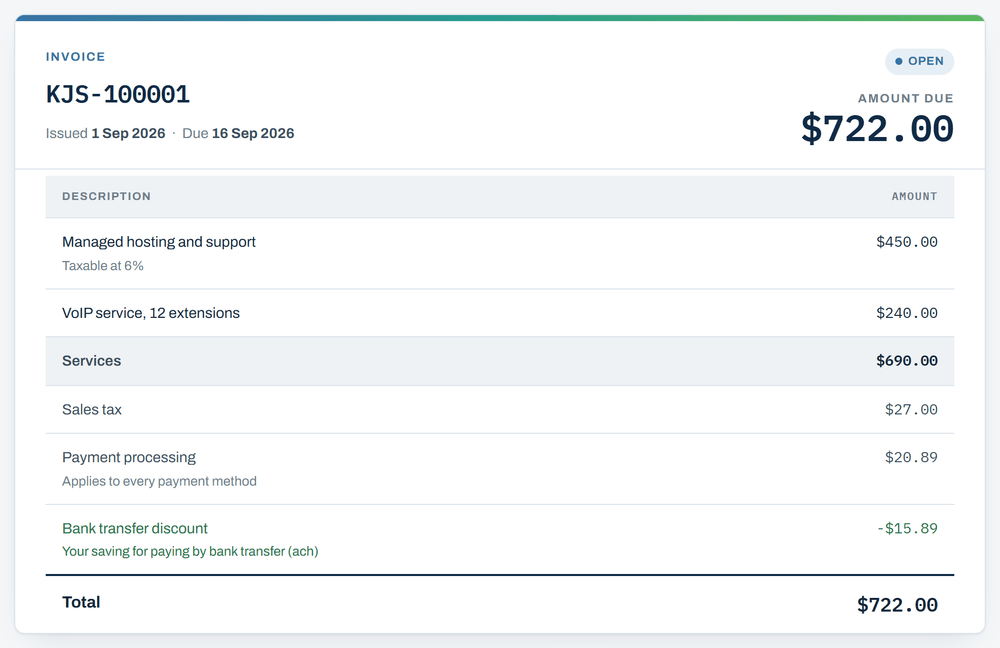
Click an invoice number to see it in full. It lists what you are being billed for, line by line, with the amount against each one.
- Services: the things you pay us for.
- Sales tax: added to the lines that are taxable, at the rate shown on the line.
- Payment processing: the cost of taking the money. It is the same for everybody, whichever way they pay.
- Discount: taken off if you pay a cheaper way, such as bank transfer.
Underneath there is a How to pay panel that says in plain words what is about to happen: charged to your card on the day the invoice is issued, collected from your bank account the same day, or a check for you to send.
If there is credit sitting on your account, by default it just waits there. When your next invoice is issued we hold it and check whether to draw on the credit or charge you as usual, rather than have the system decide on its own. Either way the credit is safe. It is never lost or forgotten, it just is not spent without someone agreeing to it first.
If you would rather that happened without waiting on anyone, there is a setting for it on your Account page. Turn it on and your credit comes off each invoice the moment it is raised, and only what is left over is charged. It is off for everybody until you turn it on, so nothing changes here unless you ask for it.
The rest of it
- Signing inYour user ID, a password if you want one, and the emailed link that lasts 15 minutes.
- Choosing how you payCard or bank transfer, what each one costs you, and what changes if you switch.
- Adding or changing a card or bank accountHow to put new details in, and why we never hold them.
- When you are chargedThe day the money moves, and what happens if a payment does not go through.
- Getting helpReply to any invoice email, or call 989-273-2839.